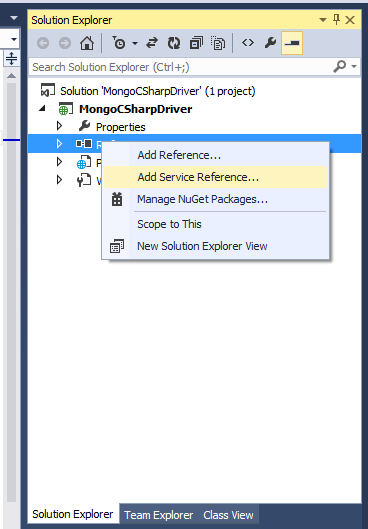
在 ASP.NET 上使用 MongoDB 進行 CRUD 的操作,MongoDB 對 C# 語言進行了支援並提供了 C# 操作的 Driver,在接下來的步驟裡就是要透過使用 MongoDB C# Driver 來進行操作。
下載MongoDB C# Driver
有兩種方法來安裝C# Driver
Kenneth 發表在 痞客邦 留言(1) 人氣(8,096)
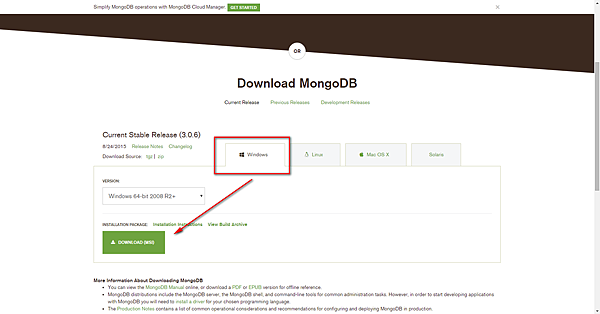
MongoDB 建議安裝 64 位元版本,因為 32 位元版本最大儲存量
只有 2GB 。而在安裝限制的話,Windows 環境下支援 XP 版本以上的作業系統。
資料來源
MongoDB 官方網站
Kenneth 發表在 痞客邦 留言(0) 人氣(976)
HOMEWORK: HOMEWORK 6.5
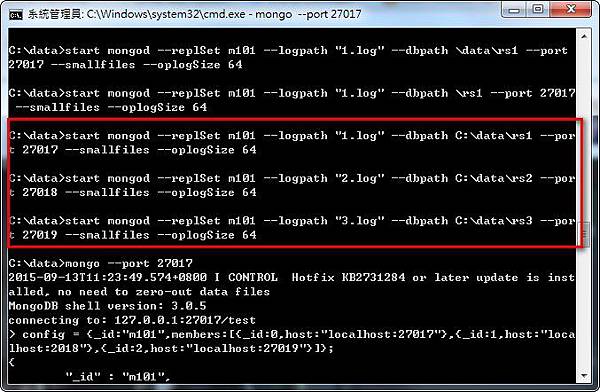
In this homework you will build a small replica set on your own computer. We will check that it works with validate.py, which you should download from the Download Handout link.
Create three directories for the three mongod processes. On unix, this could be done as follows:
Kenneth 發表在 痞客邦 留言(0) 人氣(49)
Write Concern Reference
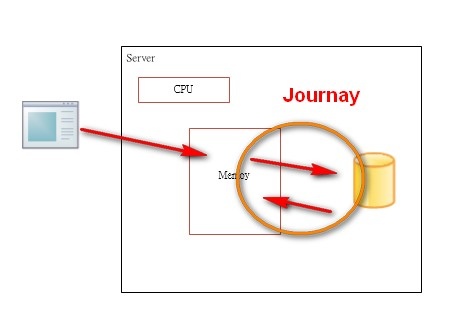
Write concern describes the guarantee that MongoDB provides when reporting on the success of a write operation.
Kenneth 發表在 痞客邦 留言(0) 人氣(43)
I have seen on tutorials that they use --fork as parameter of mongod. But when I try to do so, it says unknown option --fork. So how to --fork mongodb on windows?
Kenneth 發表在 痞客邦 留言(0) 人氣(53)
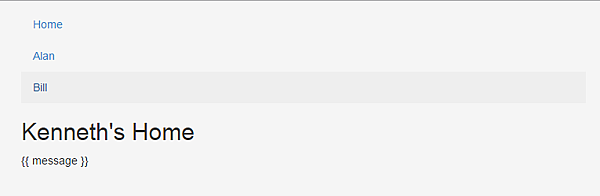
AngularJS Route 和Controller 分開存至不同的js檔案,Route應該只有一個但是Controller會有很多個,通通放在一個檔案就很整理和看。
這個範例主要有 index.html 然後再Home.html 和 HomeCtrl.js 一組,Alan.html,Bill.html和MemberCtrl.js一組。
Kenneth 發表在 痞客邦 留言(0) 人氣(846)
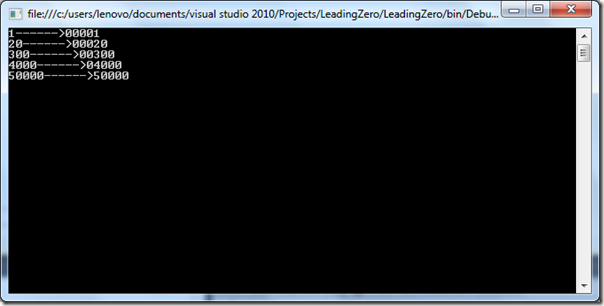
I was having need that I need to pad number in 5 digit format. So following is a table in which format I need my leading zero format.
1-> 00001
20->00020
300->00300
Kenneth 發表在 痞客邦 留言(0) 人氣(18)
設定
Tools > Options > Debugging > "Redirect all Output Window text to the Immediate Window"
Kenneth 發表在 痞客邦 留言(0) 人氣(23)
有時候我們產生的URL連結是又臭又長,很不美觀. 所以會常用縮短連結。 最常用的就是 Google URL shortener
$http.post('https://www.googleapis.com/urlshortener/v1/url?key=#key',{longUrl:'http://kenneth2011.pixnet.net/blog/post/111980533'}).success(function(data,status,headers,config){
$scope.shortUrl=data.id;}).
error(function(data,status,headers,config){});
Kenneth 發表在 痞客邦 留言(0) 人氣(37)
 參考google的
「
Set up POP in mail clients」,smtp 要使用 TSL,而 Port 可使用 587 。
於是使用以下簡單的Code來測試,
01 |
var client = new SmtpClient("smtp.gmail.com", 587) |
04 |
DeliveryMethod = System.Net.Mail.SmtpDeliveryMethod.Network, |
05 |
UseDefaultCredentials = false, |
06 |
Credentials = new NetworkCredential("你的google帳號", "密碼") |
09 |
client.Send("測試信<rm@gmail.com>", "rainmaker_ho@gss.com.tw", "test", "testbody"); |
10 |
Console.WriteLine("Sent"); |
Kenneth 發表在 痞客邦 留言(1) 人氣(12,301)
